Get in touch
We are just a click or a call away – personal, direct and uncomplicated.

+49 611 711857-0

hallo@denkform.net

Zanggasse 6
65719 Hofheim am Taunus

Monday to Friday 8:30–13:30 and 14:30–17:00 (Friday until 15:30)


Mosyle – Apple device management and security on one platform
Manage, secure, and automate the deployment of Macs, iPhones, and iPads with a platform built exclusively for Apple. We set up Mosyle, take over your existing fleet, and handle the day-to-day operations.

1
Apple-only – and consistently so
Most management tools try to do a little bit of everything: Windows, Android, Linux – and Apple, too. In practice, this often means that new macOS and iOS features don't arrive in the management console until months after Apple releases them.
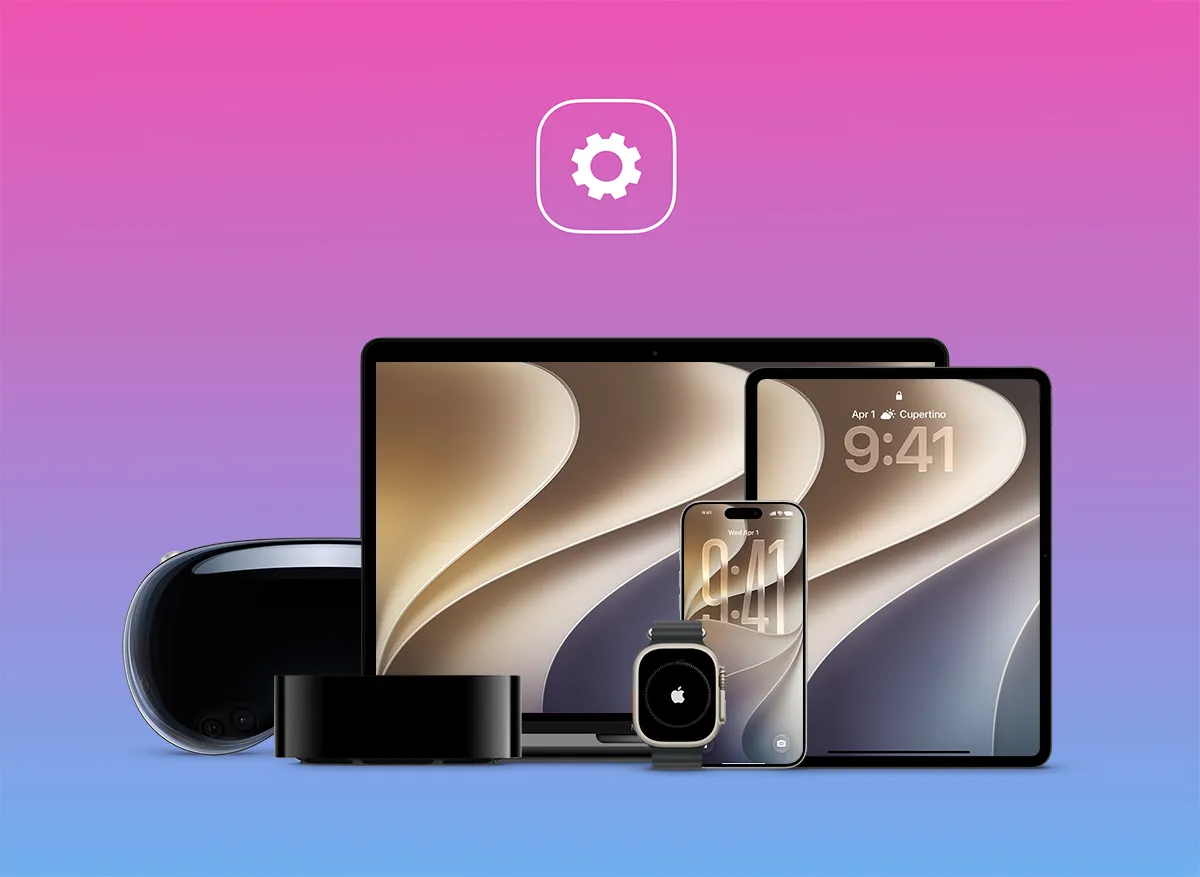
Mosyle takes a different approach, supporting only Apple: Mac, iPhone, iPad, Apple TV, Apple Watch, and Apple Vision Pro. In addition to Apple's official MDM protocol, a dedicated, lightweight agent runs on the Mac to handle tasks the protocol alone cannot cover, from software distribution to enforcing security policies.
For your team, this means fewer compromises on Apple features, faster access to new operating system versions, and an interface that doesn't try to accommodate three different worlds at once.
2
Security is built-in, not bolted on
For most providers, device management is one thing and endpoint security is another – two products, two contracts, two consoles. Mosyle bundles both. Security tools access device management directly, allowing them to be rolled out and enforced automatically rather than having to be maintained device by device.
- Hardening & Compliance – ready-made templates that automatically enforce security policies and report non-compliant devices
- Antivirus for Mac – malware detection directly on the device
- Zero Trust for macOS – continuous assessment of device health before access is granted
- Privilege management – administrator rights granted only on request and for a limited time, rather than permanently
- Web and privacy filtering – via the encrypted DNS functions of macOS and iOS, without requiring an additional app on the device
- Login & Identity – Mac login using your corporate account from Microsoft 365, Google Workspace, Okta, or Active Directory, with optional two-factor authentication
3
Zero-touch: unboxed, logged in, ready to work
A new device should be ready to work, not waiting to be set up. Through Apple Business and Apple School Manager, it registers itself upon first boot and downloads its configuration – without anyone from IT ever having to touch it.
- Automatic enrollment – via Apple Business and Apple School Manager
- Centralized app distribution – Apple Apps & Books, a curated macOS app catalog, and custom PKG and DMG packages
- Updates under control – OS updates and application patches managed by fixed rules instead of ad-hoc requests
- Policy templates – define once, apply to any number of devices
- Corporate and personal devices – support both operating models in parallel; on BYOD devices, the personal area remains untouched
- Apple Watch and Apple TV – the Apple Watch is included in the iPhone license, and for every Mac or iPhone/iPad license purchased, you get an Apple TV at no extra cost
4
Why teams are switching to Mosyle
Mosyle launched in 2016 with the first Apple MDM specifically for the education sector and has since expanded into the corporate world. Today, more than 60,000 organizations use the platform, including over 25,000 schools. Its security infrastructure has been SOC 2 Type II certified since 2020.
However, the most common reason for switching is different: Mosyle developed its platform entirely in-house, keeps its cost structure intentionally lean, and publishes its pricing openly—well below that of established competitors. Those who currently license device management and endpoint security separately often pay several times more for a comparable feature set. We will calculate whether a switch makes financial sense for you—and we will tell you if another platform is a better fit.
5
Implementation & operations by Denkform – from start to finish
Licensing a platform is the easy part. It only delivers value when policies, automation, and workflows align with your operations. We are here to guide you through that process.
- 01 – Analysis & Concept: We assess your Apple fleet, your existing management solution, and your security requirements to determine how much of this Mosyle can cover.
- 02 – Setup & Configuration: We set up the platform, connect it to Apple Business or Apple School Manager and your identity provider, and create policies and templates.
- 03 – Migration & Enrollment: We take over existing devices step-by-step, while new devices are automatically enrolled in management.
- 04 – Training & Ongoing Support: We train your team, document the setup, and remain available for expansions and everyday questions.
- Pure Apple environments – when Macs, iPhones, and iPads make up your device inventory
- Security from a single source – device management and endpoint protection in one contract instead of several
- Predictable costs – openly published prices that are easy to calculate, even for large quantities
- Schools and universities – mature classroom and device lending scenarios for the education sector
- Small IT teams – quick familiarization, onboarding, and support at no extra cost
- Honest assessment – for mixed fleets, we recommend Intune, NinjaOne, or Relution; if hosting in Germany is mandatory, Relution is the way to go
30 Hersteller. Eine Beschaffung.
Denkform beschafft, konfiguriert und liefert Hardware über alle Geräteklassen hinweg.




















Frequently asked questions
Which devices can Mosyle manage?
Mac, iPhone, iPad, Apple TV, Apple Watch, and Apple Vision Pro – exclusively Apple. Windows and Android devices are not supported. This specialization is precisely why Mosyle often supports Apple features earlier and more deeply than cross-platform tools. If you manage mixed fleets, Microsoft Intune, NinjaOne, or Relution are the better choice.
What sets Mosyle apart from Jamf?
Both platforms are dedicated exclusively to managing Apple devices. Jamf has been on the market significantly longer, boasts a larger partner and integration ecosystem, and is widely used in very large-scale environments. Mosyle distinguishes itself primarily through its architecture: device management, endpoint security, web filtering, and identity management are all part of the same product, whereas Jamf requires licensing these as separate modules. Which solution is the right fit depends on your device count, security requirements, and existing integrations—we can help you evaluate this for your specific situation during a consultation.
Is Mosyle also suitable for schools and universities?
Yes, that is where the provider’s roots lie. In 2016, Mosyle built the first Apple MDM specifically tailored to the education sector and, according to their own figures, is used by more than 25,000 schools. Consequently, features for classrooms, device distribution to rotating users, and integration with Apple School Manager are highly mature. For educational institutions, Mosyle is one of the strongest options on the market.
How much does Mosyle cost?
Mosyle is transparent about its pricing. A free version is available for up to 30 devices. Beyond that, the manufacturer lists basic device management at approximately $1 per device per month, while the "Fuse" all-in-one packages—which include security and identity features—are around $1.50 for iPhone and iPad and around $3 for Mac. These rates are based on annual billing with a minimum of 30 licenses, as of October 2026. Apple TV and Apple Watch are included at no extra cost. We would be happy to provide a specific quote based on the number of devices you have.
How complex is it to switch from an existing MDM solution?
Significantly less than it used to be. Since Apple introduced native support for switching MDM providers, devices generally no longer need to be reset for a migration. Mosyle also offers an extended trial period, allowing you to run the platform in parallel with your existing solution. We plan the migration with you, onboard devices in stages, and support you throughout the entire transition until completion.
Is Mosyle GDPR compliant?
Mosyle declares GDPR compliance and has been SOC 2 Type II certified since 2020. Before implementation, we will work with you to verify exactly where your data is processed and whether this aligns with your internal requirements, including the data processing agreement. If hosting in Germany is a mandatory requirement, we recommend Relution.