Get in touch
We are just a click or a call away – personal, direct and uncomplicated.

+49 611 711857-0

hallo@denkform.net

Zanggasse 6
65719 Hofheim am Taunus

Monday to Friday 8:30–13:30 and 14:30–17:00 (Friday until 15:30)


Simplicity is Key – Efficient databases with Claris FileMaker™
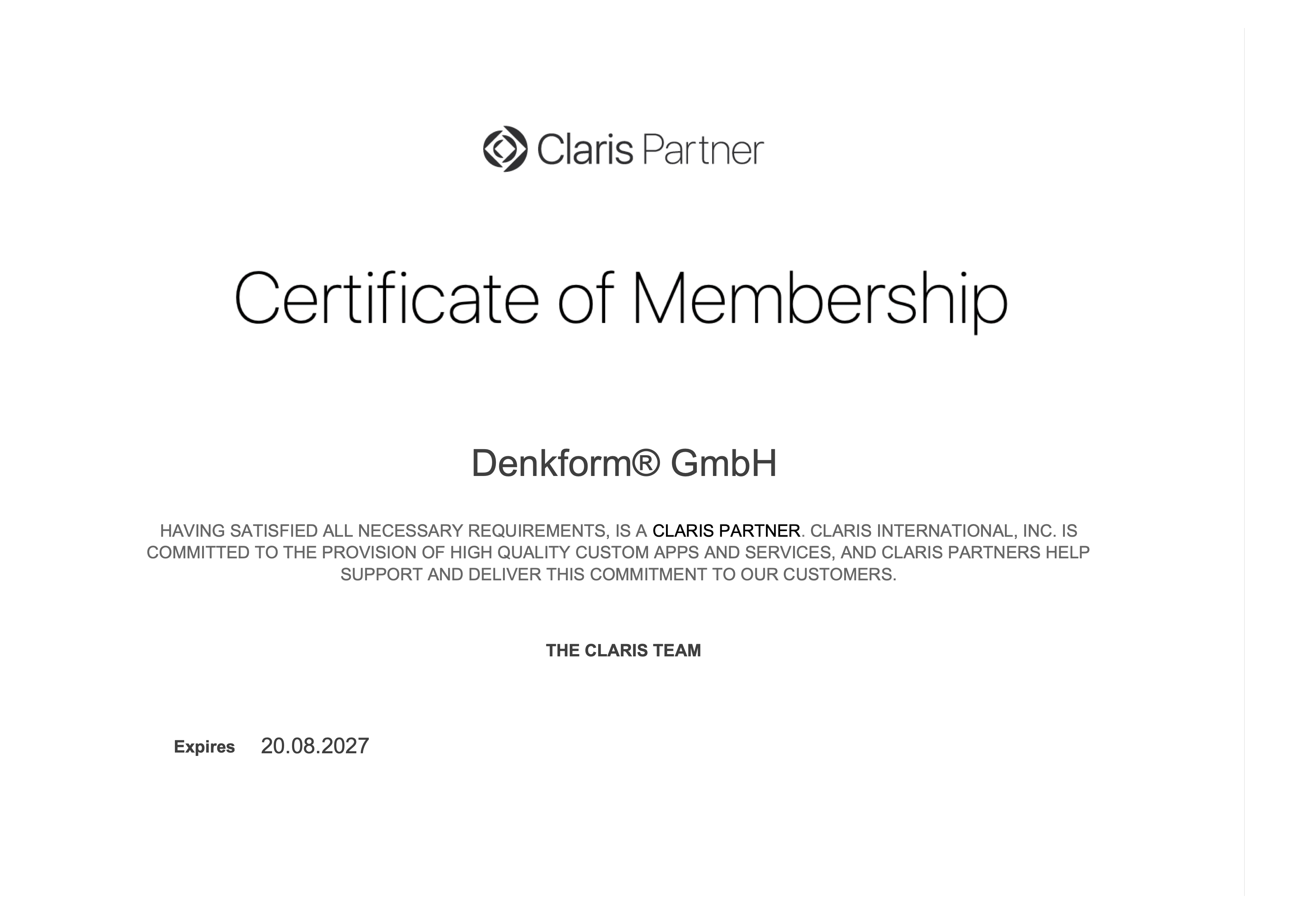
With Claris FileMaker™, we develop cross-platform, intuitive solutions that optimise your workflows simply and flexibly. We offer consulting, development, modification & optimisation of Claris FileMaker databases. We are a team of certified Claris FileMaker developers. We are on site for you in Frankfurt am Main, Offenbach, Hanau, Fulda, Gießen, Wiesbaden, Mainz, Koblenz, Darmstadt, Mannheim, Heidelberg.

1
Immerse yourself in the future
Claris FileMaker brings innovative technologies to your company and makes your processes future-proof. The platform supports Artificial Intelligence (AI), Machine Learning (ML), Internet of Things (IoT) and Augmented & Virtual Reality (AR/VR). This means you benefit from a powerful solution that adapts to the requirements of digital transformation.
2
Flexibility and versatility
The Claris FileMaker platform is a powerful low-code database management system that enables easy development and customisation of individual business solutions. Thanks to cross-platform support for macOS, iOS, Windows and web browsers, companies can efficiently optimise their workflows.
- Flexible operating models – appliance, virtual machine or cloud
- Seamless integration into existing IT environments
- Optimised accessibility through unified communications
- Simple management via an intuitive web interface
- Expandable functions for individual requirements
3
Licensing and deployment
Whether as a local appliance, virtualised software or cloud service – Claris FileMaker adapts flexibly to the individual requirements of your organisation. The solution supports all common standards and enables straightforward implementation.

4
Consulting and support
Our certified FileMaker experts will support you on-site with the installation, setup and customisation of your solution. With many years of experience, we help you to manage databases efficiently, optimise existing systems and make full use of your FileMaker platform.
Whether initial implementation, migration or ongoing maintenance – we ensure smooth operation and accompany you with training and technical support to make your FileMaker solution a lasting success.
5
Extensions
Claris FileMaker can be easily integrated into existing systems and enhances your communication and data management processes with numerous functions. With powerful tools and interfaces, companies can automate individual workflows and optimise their processes.
- CTI integration – connection to CRM & ERP systems
- Advanced database functions – automation, advanced search options & more
- Integration of external systems – support for APIs, web services & third-party software
- Advanced telephony features – voicemail, call routing, conferencing
- Optimisation of security & performance
7
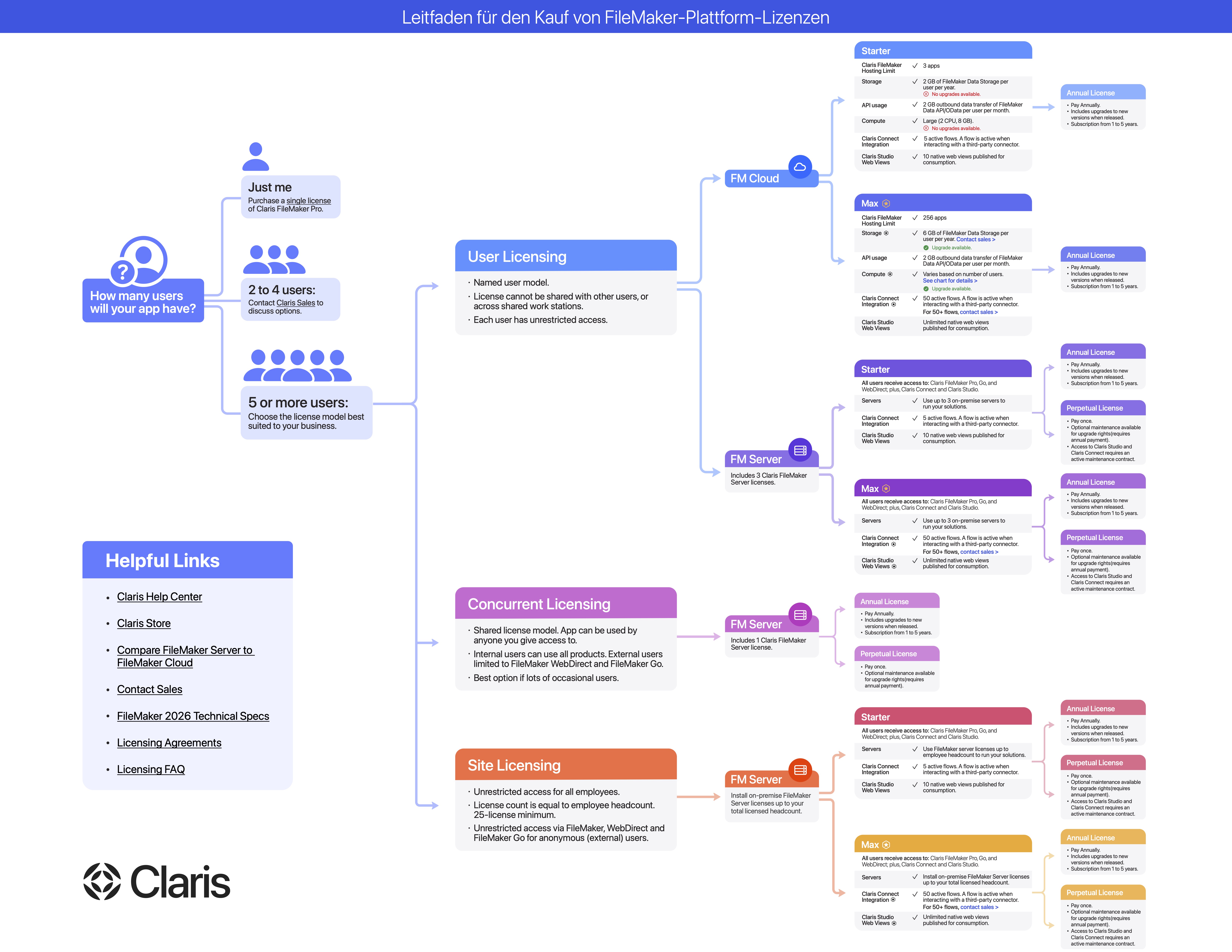
Guide to purchasing FileMaker Platform licences
With a wide choice of licence models, individual users and organisations of all sizes can choose the right solution – from FileMaker Pro & Go to FileMaker Server & WebDirect for maximum scalability and security.
➡️ Download the guide to purchasing FileMaker Platform licences
Many manufacturers. One procurement process.
Denkform procures, configures, and delivers hardware across all device categories.
Windows

Accessories

Display/Video
Smartphones
Tablets
Audio
Accessories

Network/Security

Display/Video
Windows

Accessories
Printers

Printers
Network/Security

Display/Video
Accessories
Windows

Network/Security

Display/Video

Display/Video
Printers

Smartphones

Display/Video
Accessories
Network/Security
Printers
Windows

Display/Video

Audio

Network/Security
Display/Video
Tablets
Accessories
Windows

Display/Video

Accessories

Audio
Accessories
Tablets
Windows

Network/Security

Display/Video

Audio

Display/Video
Smartphones
Tablets

Display/Video

Display/Video
Printers
Downloads
Here you can download the most important Claris products 2023…2026.
Download

Download
FileMaker Pro Client Version 2026
Download FileMaker Pro 2026 (macOS 26)
Download FileMaker Pro 2026 (Windows 26)
Download
Download

FileMaker Pro Client Version 2024
Download FileMaker Pro 2024 (macOS 21.1.2)
Download FileMaker Pro 2024 (Windows 21.1.2)
Frequently asked questions
What components does the Claris FileMaker platform include?
The FileMaker platform consists of several modules:
- FileMaker Pro – Desktop app for creating and using databases
- FileMaker Go – Mobile version for iPad & iPhone
- FileMaker Server – Server-based solution for sharing data
- FileMaker WebDirect – Access databases directly from your web browser
- Claris Connect – Workflow automation & integration with third-party providers
- Claris Studio – Cloud-based developer toolset for web applications
These components enable scalable and secure data management, both locally and in the cloud.
What licence models are available for FileMaker?
There are three main licence models:
- User Licence – Each user requires their own licence
- Concurrent Connection Licence – Allows a fixed number of concurrent users
- Site Licence – Companies purchase one licence for all employees
In addition, there are various purchase and rental options (Retail, VLA, AVLA, SLA), depending on company size and requirements.
How does Claris FileMaker differ from classic relational databases?
Unlike SQL databases such as MySQL or PostgreSQL, FileMaker is a hybrid low-code system. Advantages:
- Fast customisation & development times
- No complicated SQL programming required
- Visual database creation & automation
- Optimised for Mac & iOS – but also runs on Windows & Web
FileMaker combines the flexibility of a no-code platform with the functionality of a relational database.
What integration options does FileMaker offer with other systems?
Claris FileMaker can be connected to other systems via the following standard interfaces:
- ODBC/JDBC – connection to SQL databases such as MySQL, PostgreSQL or Microsoft SQL Server
- XML & PHP – Web service connection and data integration
- FileMaker Data API – REST API for connecting to third-party applications
- Claris Connect – Automated workflows between FileMaker and other applications (e.g. CRM, ERP, online shops)
Thanks to these interfaces, FileMaker can be seamlessly integrated into existing IT infrastructures.
How secure is Claris FileMaker?
FileMaker offers comprehensive security features, including:
- AES-256-bit encryption for stored data
- SSL-secured data transfer for web & cloud connections
- Access Control Lists (ACL) for user administration
- Active Directory & Open Directory integration for enterprise environments
In addition, FileMaker supports an Encryption At Rest (EAR) function that protects stored data from unauthorised access.
How does FileMaker work in the cloud?
FileMaker Cloud is available via the Amazon Web Services (AWS) Marketplace. Advantages:
- No in-house server infrastructure required
- Automatic updates & maintenance by Claris
- Access from anywhere – ideal for remote teams
- High level of security thanks to AWS data centres
Alternatively, FileMaker can also be operated on-premises on your own servers.
FileMaker Go offers the following specifically for iPhone & iPad:
FileMaker Go offers the following specifically for iPhone & iPad:
- Offline mode for use on the go
- Mobile data capture & real-time synchronisation
- Integration with camera & GPS for location data
- Push notifications via Push4FileMaker
This allows field staff, doctors or service technicians to work on the move.
Does Claris FileMaker offer the possibility to automate workflows?
Yes! Business processes can be automated with Claris Connect:
- Automatic data synchronisation between systems
- Automatic email notifications & reminders
- Reports & dashboards with real-time data
Thanks to the REST API, FileMaker can be connected to over 100 third-party tools.
How can I migrate my existing database to FileMaker?
FileMaker supports data migration from:
- Excel, Access & CSV files
- SQL databases (MySQL, PostgreSQL, Microsoft SQL Server)
- Old FileMaker versions
Thanks to automatic import functions, existing data can be transferred quickly and securely.
What FileMaker training & support services are available?
- FileMaker training for beginners & advanced users
- FileMaker support for FileMaker development & administration
- Individual solutions & consulting
The training courses include:
- FileMaker fundamentals of database development
- FileMaker Go & mobile solutions
- FileMaker scripting and automation techniques
- FileMaker MBS Plugin workshop for advanced functions
These training courses enable companies to efficiently develop & manage their own FileMaker solutions.