
Get in touch
We are just a click or a call away – personal, direct and uncomplicated.

+49 611 711857-0

hallo@denkform.net

Zanggasse 6
65719 Hofheim am Taunus

Monday to Friday 8:30–13:30 and 14:30–17:00 (Friday until 15:30)


Jamf – Comprehensive Apple Device Management
With Jamf, businesses and schools manage their Apple devices centrally. From deployment to security – a comprehensive MDM solution with seamless integration into Apple Business Manager and Apple School Manager. We take care of the management for you.

1
Jamf Now – Simple MDM for small businesses
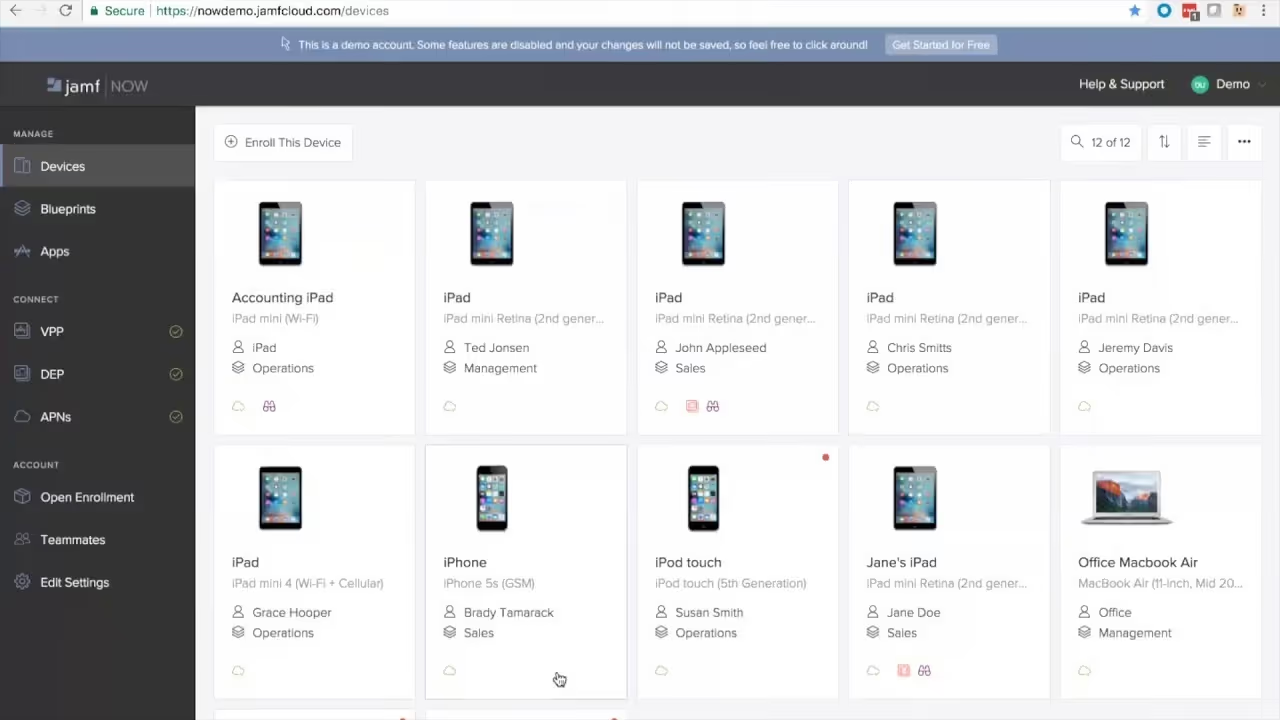
Jamf Now is aimed at small businesses and teams that want to manage their Apple devices professionally – without requiring a dedicated IT department or deep technical expertise. The cloud-based interface makes it possible to enrol MacBooks, iPhones and iPads within minutes, distribute apps and set basic security policies. Wi-Fi profiles, password policies and remote wipe can all be configured with just a few clicks.
Jamf Now is the ideal entry point into Apple Device Management – and can be upgraded to Jamf Pro at any time as requirements grow. Denkform supports you through both scenarios.
2
Jamf Pro – Central management for large organisations
Jamf Pro is the enterprise solution for organisations that want to run their Apple fleet in a fully automated and secure way. New devices are configured via zero-touch deployment directly from Apple Business and shipped to employees – without the IT team needing to physically handle each device. Software distribution, patch management, security policies and compliance reporting all run centrally through a single platform.
Jamf Pro particularly excels in Apple-first or mixed environments alongside Microsoft Intune: it integrates with Azure Active Directory, Okta, SCIM directories and existing SIEM systems. Denkform handles the setup, integration into your infrastructure and trains your IT staff in the productive use of the platform.
- Zero-touch deployment – ship devices directly to employees, pre-configured and ready to use
- Automated app distribution – managed apps from the App Store or as in-house packages
- Security policies & compliance – enforce password policies, encryption and MDM profiles centrally
- Detailed device inventory – hardware, software, certificates and configuration status at a glance
- Self-service portal – employees install approved apps themselves, without an IT ticket
- Full macOS & iOS integration – unified management across all Apple platforms
- Third-party integration – connect to Azure AD, Okta, ServiceNow, Splunk and more
- BYOD management – securely integrate personal devices into the corporate environment
3
Jamf School – Designed specifically for educational institutions
Jamf School was built from the ground up for education – and it shows. Teachers can control student devices directly during lessons through a simplified interface: launch apps, lock screens, restrict websites or focus attention on a specific learning programme. The school’s IT administration retains an overview of all devices, can roll out profiles class by class and involve parents or teachers with customised permissions.
For schools taking part in the DigitalPakt or similar funding programmes and procuring iPads, Jamf School is the recommended management solution. Denkform advises educational institutions on procurement, licensing and the complete rollout – from the first iPad to a fully operational classroom environment.

4
Jamf Protect – Security for macOS endpoints
Conventional endpoint security solutions are developed for Windows and subsequently ported to macOS – with corresponding compromises in performance and detection accuracy. Jamf Protect was built natively for macOS and uses Apple’s own frameworks such as Endpoint Security to detect threats precisely without slowing down the system.
Jamf Protect monitors system processes in real time, detects behavioural anomalies and can respond automatically when needed. For organisations with compliance requirements (ISO 27001, SOC 2, GDPR), it delivers detailed audit logs and telemetry data that can be fed into existing SIEM systems such as Splunk or Microsoft Sentinel. Denkform assists with configuration, rule sets and ongoing monitoring.
5
Jamf Connect – Seamless identity management
In modern enterprise environments, Active Directory is increasingly being replaced by cloud-based identity providers such as Okta, Microsoft Entra ID (Azure AD) or Google Workspace. Jamf Connect bridges the gap between these cloud identities and the macOS login – employees sign in to their Mac with their existing corporate credentials, without requiring a local AD binding.
This not only simplifies IT administration significantly but also increases security: accounts can be centrally disabled, passwords synchronised and access rights controlled granularly – including for remote employees. Jamf Connect is particularly valuable for organisations moving towards a fully cloud-based IT infrastructure or in the process of decommissioning Active Directory.
- Increased security – central identity management without local AD dependency
- Single sign-on – one login for Mac, apps and cloud services
- Fast onboarding – new employees are ready to work within minutes
Many manufacturers. One procurement process.
Denkform procures, configures, and delivers hardware across all device categories.

Windows

Accessories

Display/Video
Smartphones
Tablets
Audio
Accessories

Network/Security

Display/Video
Windows

Accessories

Printers

Printers

Network/Security

Display/Video
Accessories
Windows

Network/Security

Display/Video

Display/Video
Printers

Smartphones

Display/Video
Accessories
Network/Security
Printers
Windows

Display/Video

Audio

Network/Security

Display/Video
Tablets
Accessories
Windows

Display/Video

Accessories

Audio
Accessories

Tablets
Windows

Network/Security

Display/Video

Audio

Display/Video
Smartphones
Tablets

Display/Video

Display/Video

Printers
Frequently asked questions
How does Jamf School support educational institutions?
Jamf School was developed specifically for the needs of schools and offers:
• Central device management: Teachers can configure student devices, provide apps and define access rights.
• Classroom management: Options for controlling devices during lessons to keep students focused.
• Security features: Protecting student data and ensuring a safe digital learning environment.
What security features does Jamf Protect offer?
Jamf Protect provides the following security features for macOS devices:
• Malware protection: Detection and blocking of malware in real time.
• Threat detection: Identification of unusual activity and potential security risks.
• Compliance monitoring: Ensuring that devices comply with the defined security policies.
How does Jamf Connect make identity management easier?
Jamf Connect enables:
• Single sign-on: Users can log in to Mac devices with their cloud identities (e.g. Okta, Microsoft Azure).
• No need for Active Directory: No traditional Active Directory binding is required, which simplifies the IT infrastructure.
• Central access management: IT administrators can control access rights and authentication policies centrally.
Can Jamf be integrated into an existing Windows or Microsoft 365 environment?
Yes. Jamf Pro and Jamf Connect integrate directly with Microsoft Entra ID (Azure AD), Intune, and Microsoft 365. This allows Apple devices to be integrated into a mixed Windows/Apple environment without having to set up a separate infrastructure. Denkform has experience with precisely these types of hybrid deployments.
Does Denkform also take over ongoing operations and support after the Jamf setup?
Yes. Many of our customers hire us not only for the initial implementation, but also for ongoing operations: licence management, updates, enrolling new devices, policy adjustments, and support in case of problems. Talk to us about a suitable support model.


